Sorry if this is not the place for this question; it might be deeply JASMIN-related, but I haven’t received an answer for this. I ran multiple experiments of a JULES standalone version in JASMIN before August. After that, I had to extend different services on JASMIN and with the Met Office. Now that I have returned to run the models, I have found some issues:
When I tried to open the suite “rose edit&“, the is a message saying: ”The Rose configuration editor has been removed. The old Rose 2019 GUI remains compatible with Rose 2 configurations.”
I am not sure what I should use instead.
I wanted to run my model, so I ran that from the terminal using “cylc vip“, and the message that pops up is: ”WARNING - Backward compatibility mode ON - support for suite.rc files will be removed at 8.7.0 PluginError: Error in plugin cylc.pre_configure.rose ConfigProcessError: env=METO_ILAMB_INPUT_DIR: SCRATCH: unbound variable”
That happened for every model I tried, so it was not because of a specific model error, but something else.
Do you have any idea/information that might help me?
Rose is still available. However, now that the operating system on the Cylc server has been upgraded, it is longer possible to run Python 2 applications which means that rose edit is not available at the moment - sorry. We hope to have a Python 3 version of rose edit available soon.
This implies that you are referring to an environment variable SCRATCH which is not defined on JASMIN.
Thank you very much for your response. It is good to know that the errors don’t have the same origin and that I might be able to easily solve the “SCRATCH” error. I was advised to add SCRATCH in the rose-suite.conf of my suite, as the output file I am using, so I literally just added
SCRATCH=‘/work/scratch-pw3/eempvg/’ in a new line.
Thanks for replying. I followed your instructions, copying SCRATCH = {{SCRATCH}} on [environments] in [jules_run] and/or [root]. I tried the three options only in [root], only in [jules_root], and in both, but none of the above worked; I received the same error message.
Hi Grenville,
I am running the suite u-ds632, which is a copy of u-dl323, with a couple of changes that I have made, some of which aim to get the model running again. Because neither u-dl323 nor any of the experiments over JULES, which were running without issues three months ago in JASMIN, are now functioning.. I am outputting results in /work/scratch-pw3/eempvg/and then copying them to another machine.
Note: the original model is the JULES u-cc669 suite created for the ISIMIP2 project.
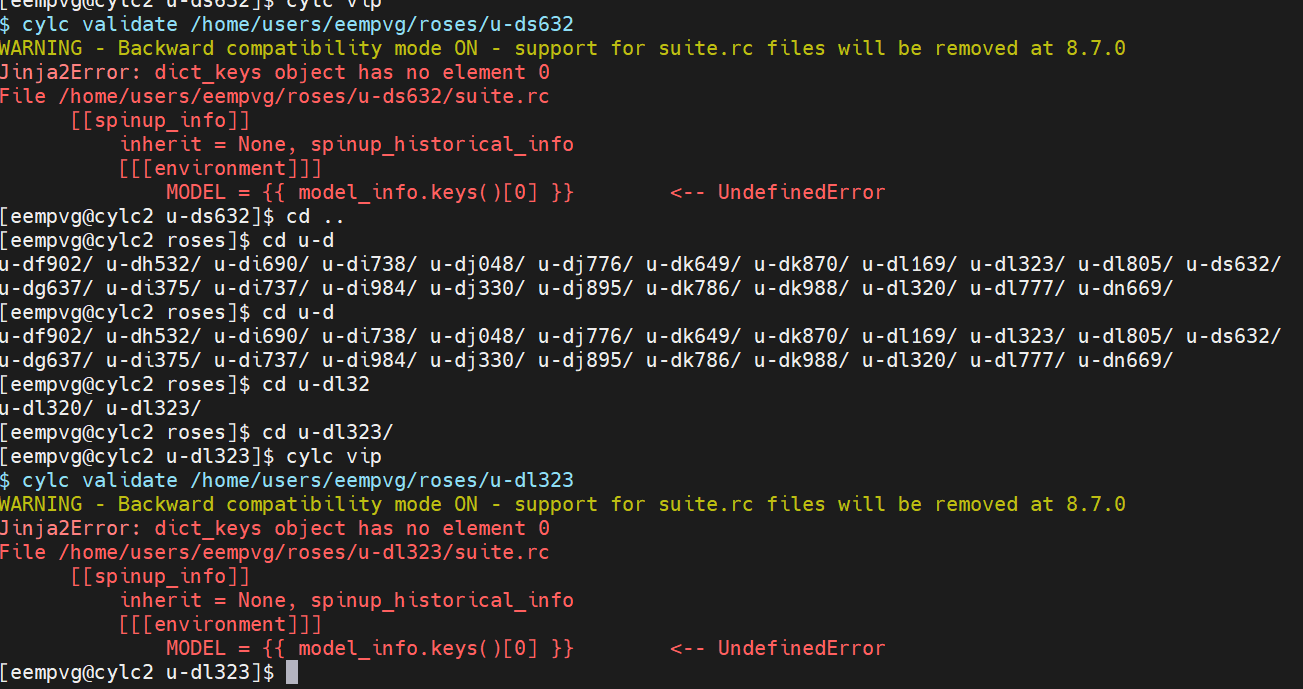
It hasn’t had a chance to run. I ran it “cylc vip” and in less than 10 seconds, the error pops up. The same if I try to run u-dl323 or any of the suites you see there (all are related in some instances with the u-cc669).
I just removed the “[0]” in the line with the error, and it seems to be working now. I cannot confirm with 100% certainty because my GUI has not been working for a week now (another issue I am trying to resolve). But the model already created the folder on my cylc-run, which is a good start.
Hi!,
I celebrate too quickly, my model is trying to load the module intel/19.0.0 (i.e, module load intel/19.0.0), and it seems that JASMIN doesn’t recognise that anymore. Do you happen to know if that was replaced by something else, perhaps a new version?.
Hi David,
I did update the information you sent me in the suite. You can find it below: Changeset 332783 for d/s/6/3/2/trunk/location/JASMIN/suite.rc – roses-u
And I also updated the following file:
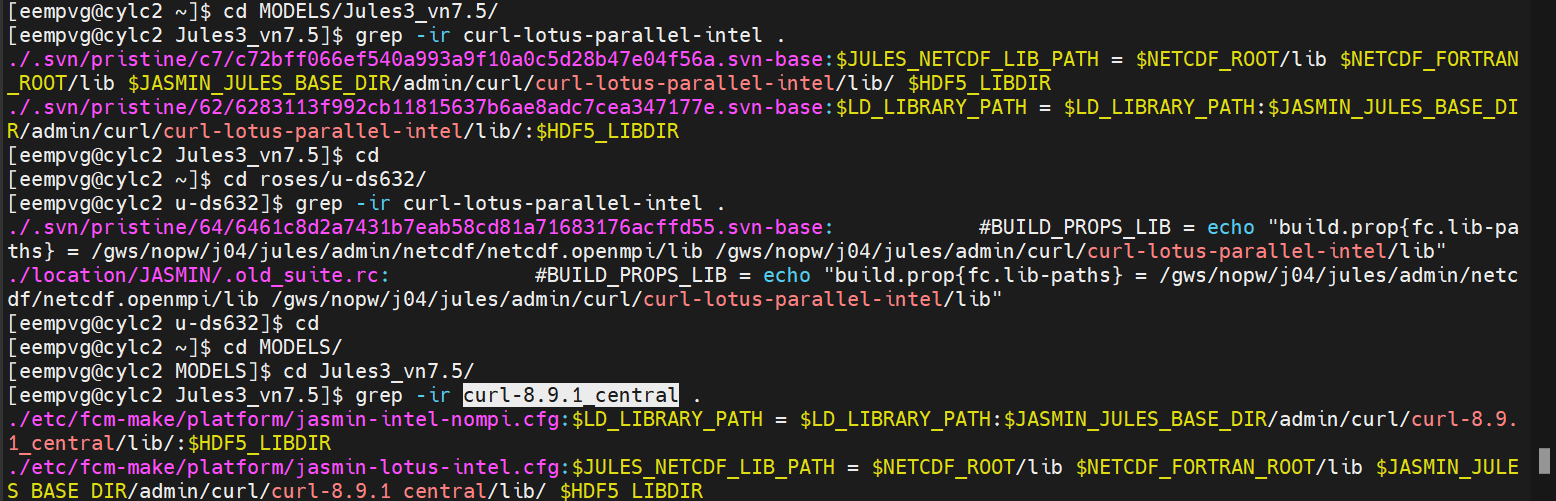
/home/users/eempvg/MODELS/Jules3_vn7.5/etc/fcm-make/platform/jasmin-lotus-intel.cfg (perhaps I need to change another file?)
I might be doing something wrong, but I’m not sure where.
I am really sorry, I do understand what you are saying, but I did it. I changed that specific line:
$JULES_NETCDF_LIB_PATH = $NETCDF_ROOT/lib $NETCDF_FORTRAN_ROOT/lib $JASMIN_JULES_BASE_DIR/admin/curl/curl-8.9.1_central/lib/ $HDF5_LIBDIR
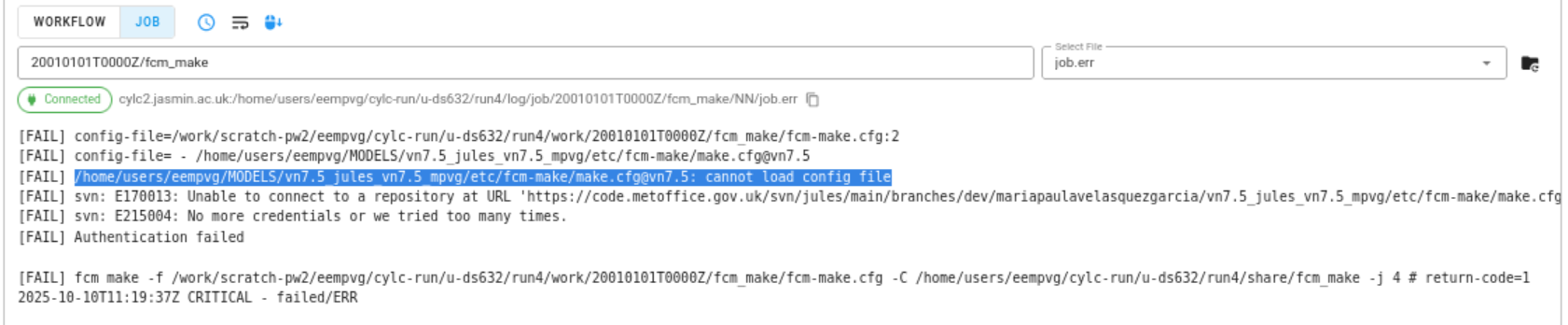
But I still got the same error, I am not sure from where it is reading it wrong:
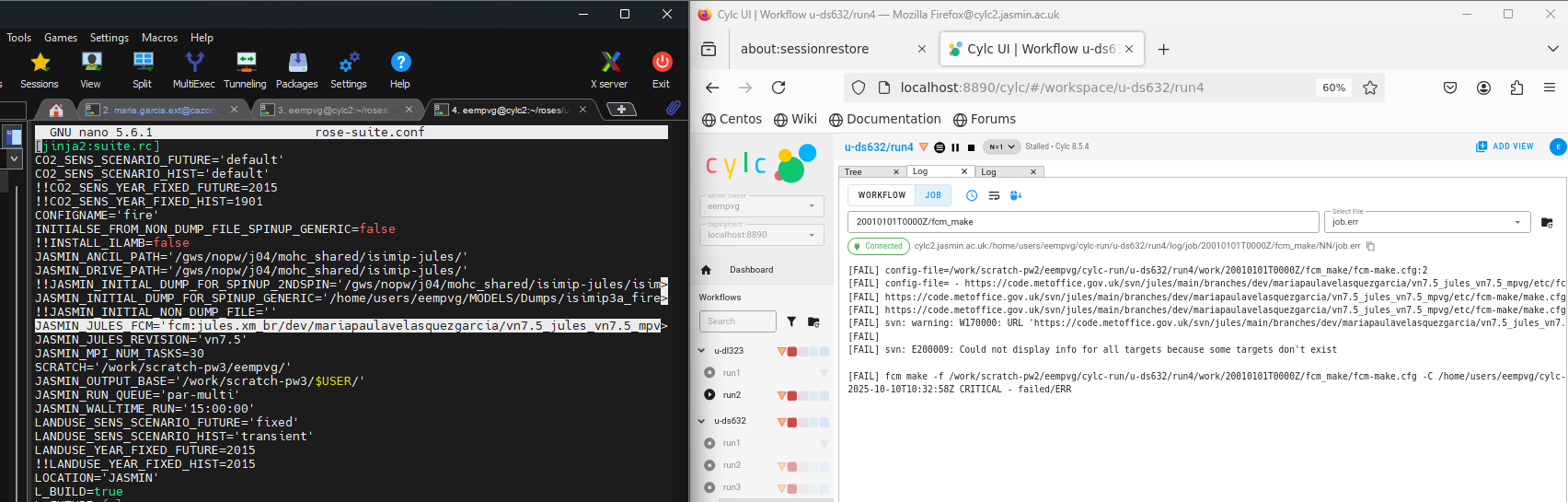
You are running a suite which tries to build from source code on the repository. It looks for jules vn7.5 and uses that, so it always uses the config file at vn 7.5
One way around this is to branch the code at vn 7.5, then use the new configuration files in your branch, and tell the suite to use the revision of your new branch.
I think you’d change these lines in your suite to point to the new branch of jules